











Generative AI is now a core engine powering workflow automation, decision support, customer interactions, and content generation across enterprises. But integrating generative AI into business workflows isn’t as simple as plugging in a tool.
Most organizations struggle with legacy systems, unstructured data, unclear use cases, and the absence of an AI implementation roadmap. Without the right strategy, Generative AI deployments stall, create operational friction, and fail to deliver ROI.
The numbers show the gap. Gartner forecasts worldwide AI spending of about $2.67 trillion in 2026, up 49.5% from 2025. Yet in McKinsey’s State of AI survey, only 39% of organizations report any EBIT impact from AI, and the high performers are about three times more likely to have redesigned workflows end-to-end. Deloitte’s January 2026 data found that only a quarter of organizations have moved 40% or more of their AI pilots into production. Money is not the constraint. Integration is.
This guide walks you through practical strategies to integrate generative AI in business workflows effectively, avoid common pitfalls, and accelerate your enterprise-wide GenAI adoption.
 Generate
Key Takeaways

- Identify high-impact GenAI use cases before integrating across workflows.
- Clean, compliant, accessible data is the foundation of every successful AI implementation.
- Start with pilots to validate assumptions, reduce risk, and refine workflows.
- Integrate AI with existing tools and business processes to enhance the core operations.
- Track KPIs, retrain models, and iterate continuously to scale GenAI effectively.
What Is Generative AI Integration? [NEW SECTION]
Generative AI integration is the work of connecting a generative model to your data, applications, and approval processes so it does a defined job inside a business workflow. A team member pasting text into a chatbot is using a tool. A support system that retrieves the customer’s order history, drafts a reply, checks it against policy, and routes it to an agent for approval is an integration.
A working integration has five layers, and most stalled projects are missing one of them:
- Data layer: the documents, tables, and tickets the model can draw on, with access rules attached.
- Model layer: one or more models, hosted or self-managed, chosen for the task.
- Orchestration layer: prompts, retrieval, tool calls and routing logic that turn a model into a workflow step.
- Application layer: where people and systems use the result, such as your CRM, ERP, ticketing tool or chat.
- Governance layer: logging, evaluation, human review, and security controls around everything above.
| Layers | Standalone GenAI tool | Integrated GenAI workflow |
| Data access | Whatever the user pastes in | Governed access to company systems and documents |
| Where it runs | Separate browser tab | Inside the CRM, ERP, ticketing or messaging tool |
| Consistency | Depends on each person’s prompt | Standardized prompts, retrieval and checks |
| Oversight | None, or personal judgment | Logging, evaluation and defined human review |
| Measurable impact | Hard to attribute | Tied to a process KPI |
Top 6 Reasons to Consider Using Generative AI
Integrating generative AI can bring many benefits to your business, including improved data accuracy. Here are six key advantages:
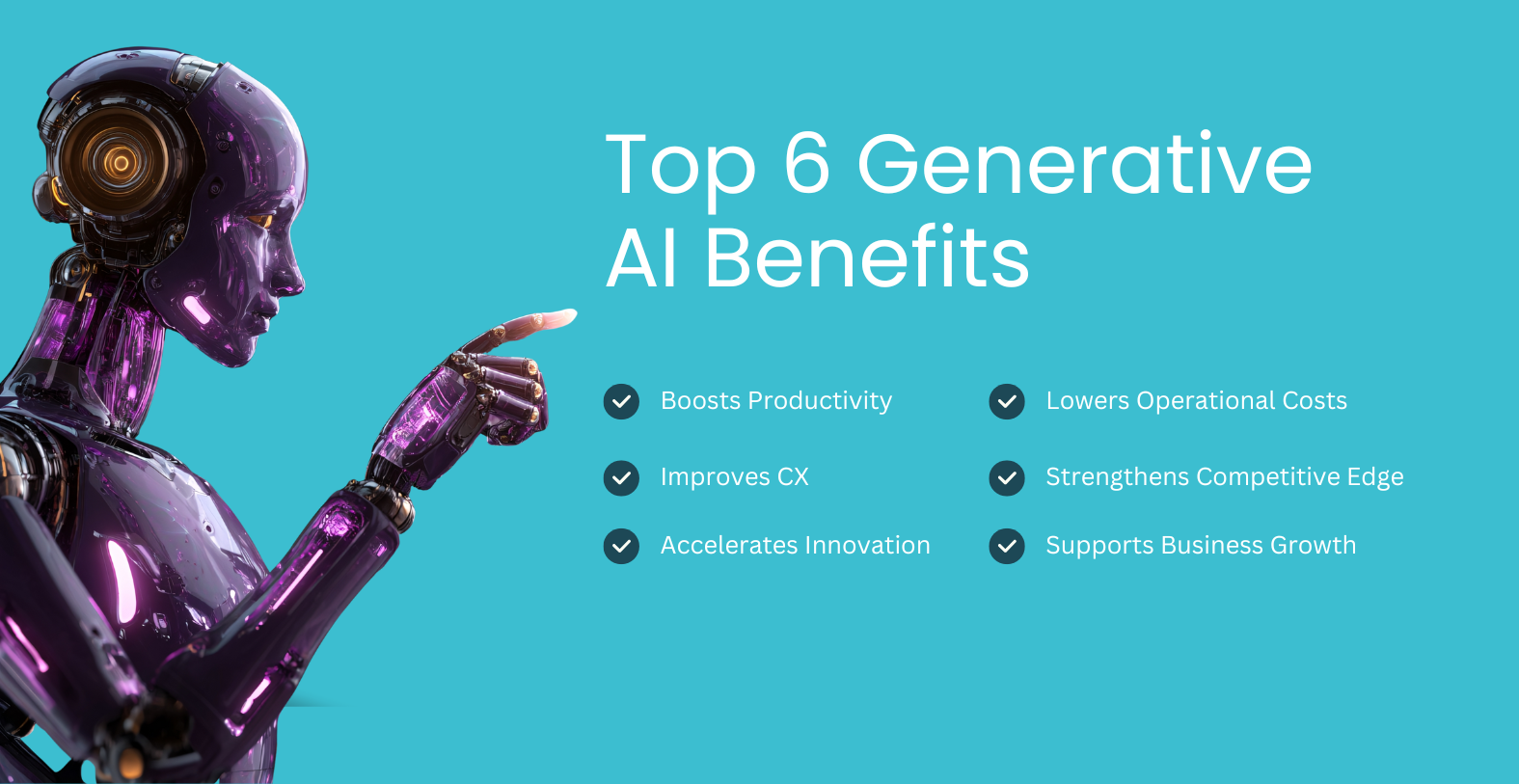
1. Boosts Productivity & Efficiency: Generative AI helps automate routine tasks and content creation. An EY India study estimates generative AI could lift productivity in Indian banking operations by up to 46% by 2030. This allows your team to focus on important initiatives that help your business grow.
2. Improves Customer Experience: Generative AI enables real-time, personalized interactions. It tailors product information and recommendations to each customer's preferences through AI-powered techniques, boosting satisfaction and loyalty.
A study of companies using generative AI for marketing and customer experience found that 49% of senior executives said AI helped them make better decisions. Additionally, 48% reported that generative AI improved customer engagement and personalization.
3. Accelerates Innovation: AI can generate new ideas and solutions, which may lead to the development of new products or services for your company.
4. Lowers Operational Costs: AI can handle repetitive tasks and complex processes, saving time and resources. This means you can reallocate budgets to other priorities while focusing on workflow automation. Costs do not disappear; they move. Inference, integration, and monitoring become new line items, so track cost per completed task from the start (see the ROI section below).
5. Strengthens Competitive Advantage: Generative AI provides up-to-date insights from your operations and customer data. This helps you quickly adapt to market trends and customer needs.
6. Scales Seamlessly with Business Growth: Generative AI can manage larger workloads and data volumes as your business grows without needing to hire more staff or expand infrastructure. This makes it easier to scale your operations.
How to Integrate Generative AI in Business Workflows?
Integrating generative AI into a business workflow involves a clear, step-by-step plan. Start by setting specific goals and a clear generative AI integration strategy. Make sure your data is ready to use. Focus on teamwork to improve efficiency and spark innovation.
a) Plan Your Generative AI Integration Strategy
A successful gen AI integration starts with a clear plan focused on streamlining business processes and incorporating workflow automation instead of rushing into it.
b) Define Your Business Goals and Use Cases
Identify specific problems or time-consuming tasks where AI can help, like creating reports, producing content, or handling customer service questions. Clearly state the expected results and measurable goals (KPIs), such as "reduce customer response time by 25%" or "cut data entry errors by 50%." Score each candidate on three things: business value, data readiness, and risk if the output is wrong. Start where value is high and risk is low.
c) Build a Diverse Team
Create a team with different skills. Include business managers who understand the company's goals, IT experts for technical needs, and data scientists or AI specialists to choose and train models. Your AI team should bring together:
- Business leaders for strategic decision-making
- IT & engineering teams for integration
- Data scientists/ML engineers for model selection & fine-tuning
- Compliance teams
- A named process owner who is accountable for the KPI and signs off on go or no-go decisions
d) Check Your Data
Generative AI is only as good as the data it trains on. Focus on:
- Data cleanliness
- Eliminating duplicates
- Ensuring accessibility
- Establishing compliance frameworks like GDPR, CCPA, or HIPAA
- Indexing unstructured content (PDFs, emails, tickets, wikis) so the model can retrieve it
- Carrying access permissions through to retrieval, so the model never surfaces what the user could not open themselves
- Masking or excluding personal and regulated data before it reaches any external model
Review your data sources to ensure they are relevant, clean, and easy to access, as 80% of AI project time is spent just preparing and managing data. Data preparation is usually the longest part of an integration, and the cause is often unstructured content and unclear ownership rather than missing data. Assign an owner to every source before the pilot starts
e) Choose the Right AI Tools
Select AI workflow automation tools that fit your specific needs. This could mean choosing generative AI tools based on your internal capacity, workflow efficiency, and desired use cases:
- Pre-trained large language models (OpenAI, Anthropic, Google Gemini)
- Industry-specific models (healthcare, finance, legal)
- AI workflow automation platforms (Zapier Agents, Make, UiPath agentic automation, Microsoft Foundry (formerly Azure AI Studio))
- Open connection standards such as Model Context Protocol (MCP), which lets a model use your tools and data through one shared interface. It is now supported by Claude, ChatGPT, Gemini, and Copilot
Pick tools that integrate seamlessly with your CRM, ERP, ticketing systems, and communication apps.
f) Choose an Integration Pattern
How the model connects to your systems matters as much as which model you pick. Most business integrations use one of these five patterns, often in combination:
| Pattern | Best for | Example | Watch out for |
| Direct API call to a hosted model | Drafting, summarizing, classifying text | Summarize a support ticket inside the helpdesk tool | Data leaving your environment; per-call cost |
| Retrieval-augmented generation (RAG) | Answers that must reflect your own documents | Internal policy assistant that cites the source page | Poor chunking and stale indexes give confident wrong answers |
| Fine-tuned or specialized model | Fixed style, format or domain vocabulary | Clinical note drafting in a set template | Needs quality training data; retrain when the base model changes |
| Agent with tool access (often via MCP) | Multi-step tasks across several systems | Agent that checks inventory, drafts a quote, and files it in the CRM | Permissions, runaway loops, and audit trails |
| Embedded vendor copilot | Fast wins inside software you already own | Copilot features in your office suite or CRM | Limited customization; you inherit the vendor’s data terms |
Build or buy? Buy when the task is common and the vendor already sits inside your workflow. Build when the workflow is a source of advantage, needs your proprietary data, or must meet strict control requirements. Many teams buy for horizontal tasks and build for the two or three workflows that differentiate them.
AI Implementation Roadmap for Enterprises
Once your strategy is defined, a phased implementation helps manage risks and fosters user acceptance.
a) Start with a Pilot Project: Begin by running a small pilot project. Choose a low-risk project that can have a big impact in a controlled environment. This allows you to test how well the AI works with existing processes , get feedback, and make changes before a wider rollout. Set a 60 to 90 day window and agree the go or no-go criteria before you start, including the baseline you are measuring against.
b) Integrate with Existing Systems: Work with developers to connect the AI model to your current software and workflows. Use APIs or middleware to help automate generative AI workflow automation with your existing systems. Put a gateway or abstraction layer between your applications and the model so you can swap providers without rewriting workflows.
c) Provide Training and Change Management: Teach employees about Gen AI tools and AI automation, emphasizing how they can enhance their work rather than replace their jobs. Offer hands-on training and ongoing support to help everyone adopt the changes smoothly. Train by role, not by tool: an agent reviewing AI drafts needs different skills from an analyst writing prompts. Name a champion in each team to collect feedback.
d) Monitor, Evaluate, and Iterate: Track the AI system's performance using your defined key performance indicators (KPIs). Create feedback loops for users to report issues, share insights, and improve the model and processes over time. As the pilot project shows its value, you can expand successful generative ai initiatives and generative ai implementation for enterprises to other areas as well.
e) Scale with a Center of Excellence: Once two or three workflows are stable, set up a small central group that owns shared components: the model gateway, approved prompts, evaluation sets, security reviews and training. Business teams then build on that base instead of repeating the same integration work in parallel.
How to Implement Generative AI in Business Processes
Implementing generative AI in business processes works best when you start from the process, not the model. Use this sequence for each workflow:
- Map the current steps, owners, systems and handoffs. Note where people read, write, summarize or decide.
- Find the steps that involve unstructured text, repetitive judgment, or waiting. These are the best candidates.
- Decide the AI’s role at each step: suggest, draft for review, or act on its own within set limits.
- Set a human checkpoint wherever an error would be costly or hard to reverse.
- Run the new flow beside the old one on real cases, compare against your baseline, then switch over.
Four worked examples show how this looks in practice:
| Process | Where gen AI fit | Human checkpoint | KPI to track |
| Invoice processing | Extract fields from varied invoice formats, match to purchase orders, draft exception notes | Finance reviews any mismatch or amount above a set limit | Cost per invoice; exception rate |
| Customer support | Summarize the ticket, retrieve account history, draft a reply that cites the help article | Agent approves replies on billing, legal or account-closure topics | First response time; resolution rate |
| Contract review | Flag non-standard clauses against a playbook and summarize changes | Lawyer signs off on every flagged clause | Review hours per contract |
| Sales proposals | Assemble a first draft from CRM data, past wins, and product documents | Sales lead edits pricing and commitments | Time to first draft; win rate |
Governance, Security, and Compliance for Generative AI Integration
Governance is the section most drafts skip and most audits ask about. Keep it practical:
-
Use a recognized framework. The NIST AI Risk Management Framework and its Generative AI Profile (AI 600-1) give you a checklist of risks and actions. ISO/IEC 42001 is the certifiable management-system standard many companies pair with it.
-
Control access. Give models and agents the least privilege they need, and log every tool call.
-
Defend against prompt injection and data leakage. Treat any outside text the model reads, such as emails or web pages, as untrusted input.
-
Reduce hallucinations by grounding answers in retrieved sources and testing against an evaluation set before every release.
-
Review vendor terms for data retention and training use, and keep a record of which models touch which data.
-
Keep humans in the loop for decisions that affect customers, money, health or legal standing.
Regulation also moved this year. Under the EU AI Act, obligations for general-purpose AI model providers have applied since August 2025, and transparency duties for AI-generated content started on 2 August 2026. The Digital Omnibus changes agreed this year defer standalone high-risk system requirements to 2 December 2027, and rules for AI embedded in regulated products to 2 August 2028 (Gibson Dunn). Deferred is not cancelled, so build the documentation habits now. Confirm dates with your legal team, as the details differ by use case.
Common Challenges in Generative AI Integration and How to Fix Them
| Challenge | What it looks like | What to do |
| Legacy systems | No API, batch-only exports, brittle custom code | Wrap the system in a thin API or middleware layer; start with read-only access |
| Poor data quality and access | Duplicates, stale documents, files nobody owns | Assign data owners, clean the pilot sources first, re-index on a schedule |
| Hallucinations | Fluent answers that are wrong or invented | Ground in retrieved sources, require citations, test with an evaluation set |
| Security and privacy | Sensitive data pasted into public tools; prompt injection | Approved tools only, masking, least-privilege access, logging |
| Cost creep | Usage grows faster than value | Track cost per task, cache repeated calls, route simple jobs to smaller models |
| Latency | Responses too slow for live use | Stream output, use smaller models for quick steps, run slow steps in the background |
| Low adoption | Staff ignore the tool or distrust it | Involve users in design, train by role, show time saved in their own work |
| Pilots that never ship | Demo works, production never starts | Set exit criteria at the start; give every pilot a named owner and budget line |
Tips for Integrating Generative AI in Your Business
To effectively use Generative AI models in your existing workflows, follow these best practices:
1. Identify Clear Use Cases
Start by identifying specific areas in your organization where Gen AI can have the greatest impact. Look for ways to automate simple tasks, complex workflows or improve creative work. These use cases will help you plan your implementation and measure Gen AI's impact and return on investment (ROI). For creative teams, AI workflow design can link image generation, editing, and resizing into one repeatable process.
2. Invest in Training
Provide your team with the skills to use Gen AI tools. You can do this through training sessions from your AI tool vendor or by offering online courses.
3. Focus on Integration
Ensure Gen AI tools integrate well with your current systems and workflows. You might need custom development or to collaborate with vendors to tailor their solutions for your needs.
4. Monitor and Evaluate
Use your defined key performance indicators (KPIs) to track how Gen AI affects your operations continuously. Evaluate improvements in productivity, cost savings, and overall effectiveness. This information will help you decide whether to expand or adjust your Gen AI initiatives.
How to Measure the ROI of Generative AI Integration
Measure before you start, or you will have nothing to compare against. Track a small set of metrics per workflow:
| Metric type | Examples | How to use it |
| Efficiency | Handling time, tickets per agent, hours saved per week | Compare to the pre-pilot baseline |
| Quality | Error rate, rework rate, review pass rate, customer satisfaction | Guard against faster but worse |
| Adoption | Weekly active users, share of cases using the AI path | Low use means the workflow, not the model, needs work |
| Cost | Cost per completed task, inference spend, support effort | Include integration and monitoring, not just licences |
| Business outcome | Revenue per rep, retention, cycle time, cost to serve | This is the number leadership cares about |
Be realistic about timing. McKinsey’s survey shows most organizations still see small financial impact from AI, which is why a clear baseline and a named owner for each KPI matter. Set a review date at the start of each pilot and decide then whether to scale, change, or stop.
The Use Cases of Generative AI for Your Business
Generative AI (GenAI) and its generative AI capabilities have many useful applications across different areas of your business. Here are some ways it can help:
1. Content Creation and Marketing: GenAI can create customized blog posts, engaging social media updates, and personalized marketing materials for your business.
2. Product Design and Development: It can generate different design options and prototypes based on the criteria you provide, sparking innovation.
3. Customer Service and Chatbots: GenAI can power smart customer support with human-like conversations available 24/7, ensuring your clients are always satisfied.
4. Real-Time Data Analysis and Insights: GenAI can analyze complex data and create detailed reports while automating repetitive tasks, offering actionable insights to improve decision-making processes.
5. Personalized Recommendations: It provides tailored product or content suggestions based on user behavior and preferences within your systems, which aids in optimizing resource allocation.
6. Code Generation and Software Development: GenAI helps developers by automatically generating code snippets and managing routine coding tasks, which improves operational efficiency.
7. Internal Knowledge Assistants: A retrieval-based assistant answers staff questions about policies, products and procedures, with links to the source document.
8. Document Processing: GenAI reads contracts, invoices, claims and forms, extracts the fields that matter, and flags exceptions for review.
9. Agentic Workflows: Agents can carry out multi-step tasks across systems, such as gathering data, drafting a document, and filing it. Start with narrow, well-logged agents with clear limits.
Generative AI Integration by Industry
- Financial services: document analysis for onboarding and credit files, drafting regulatory reports, and summarizing earnings calls, with strict audit trails.
- Healthcare: drafting clinical notes and coding suggestions for clinician review, within HIPAA controls.
- Retail and e-commerce: product descriptions, support triage, and demand-signal summaries for merchandisers.
- Manufacturing: querying engineering documents and maintenance logs in plain language.
- Professional services: first drafts of proposals and research briefs from past work.
Conclusion
Integrating generative AI into your business is vital for staying competitive. However, you may face challenges such as connectivity, data security, data quality, and scalability. Our AI development services can assist you with:
- Easy Integration: Connect AI applications to your systems using simple tools and APIs.
- Diverse AI Capabilities: Access features like API management, natural language processing, machine learning, and automation.
- Low-Code Development: Use an easy-to-navigate environment to speed up AI application development.
- Cloud-Native Architecture: Adjust your systems flexibly to handle growing demands.
- Extensive Connector Library: Easily integrate your existing systems with AI technologies.
- AI-Driven Integration: Share your needs, and our developers will handle the rest.
- Quick Start Automation: Follow simple steps to connect and automate your processes quickly.
- Get Smart Insights: Use data insights to improve your operations and resources.
- Ensure Data Quality: Maintain accurate data for effective Artificial Intelligence algorithms.
Generative AI helps improve efficiency, cut costs, and sparks new ideas. To get the most benefits, companies need to follow a clear plan: select the right use cases, prepare the data, integrate smoothly, train their teams, and keep improving the system.
With the right strategy and a reliable generative AI solutions implementation partner, it can be a strong tool for optimizing workflows and growing the business.

Mangesh Gothankar


Ashwani Sharma
Achin Verma
Frequently Asked Questions
Have a question in mind? We are here to answer. If you don’t see your question here, drop us a line at our contact page.
How do I integrate generative AI into my business workflow?

What are the steps to implement generative AI in enterprises?
How can businesses use generative AI in daily operations?
What is the best generative AI integration strategy?
A phased roadmap focusing on use-case selection, secure data pipelines, pilot testing, and scalable architecture is the most effective approach.
What tools help with generative AI workflow automation?
Tools like LLM platforms, enterprise automation platforms, AI APIs, and low-code workflow builders help business workflow optimization with AI.