

.png?width=27&height=27&name=Group(1).png)

-1.svg)
-1.svg)


-2.svg)


%201-1.webp?width=148&height=74&name=our%20work%20(2)%201-1.webp)




.svg)





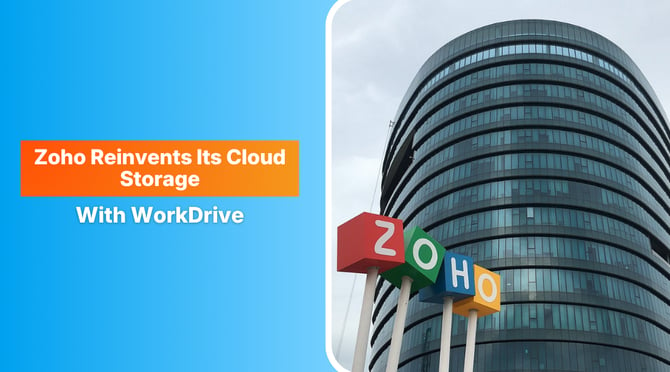
The cloud infrastructure services topped half a trillion dollars in Q1 as growth surges.
The need for secure remote work and access to centralized file management has become a business priority for enterprises across the globe. Since most organizations are operating on hybrid models, the needs have grown beyond just storage.
The current situation demands an integrated digital workspace, and Zoho satisfies the requirement by offering a business productivity ecosystem. From content collaboration to seamless team management, Zoho consulting services allow harnessing integrations that can serve the unified environment.
Let us quickly dive into learning how Zoho serves as a tool for intelligent collaboration, cutting operational bottlenecks with enterprise-grade security, and saving organizations from the hassle of managing fragmented software.
 Generate
Key Takeaways
Generate
Key Takeaways

- Zoho brings the best productivity tools that simplify collaboration through secure cloud storage.
- Zoho contains the best security standards for hybrid and distributed teams, securing sensitive business data.
- Zoho supports migration and customization for growing businesses.
- Workdrive enables startups, SMBs, and enterprises to scale efficiently.
Zoho WorkDrive + Zoho Office Suite: The Productivity Ecosystem
Zoho WorkDrive and Zoho’s integrated office applications are a valuable combination for businesses of different sizes. These together make the Zoho ecosystem with core components:
- Sales & Marketing: Zoho CRM (sales automation), Zoho Campaigns (email marketing), Zoho Desk (support ticketing), Zoho Social (social media management), Zoho LandingPage.
- Finance & Accounting: Zoho Books (accounting), Zoho Invoice, Zoho Expense, Zoho Inventory, and Zoho Payroll.
- Collaboration & Productivity: Zoho Mail, Zoho Cliq (chat), Zoho WorkDrive (file storage), Zoho Meeting (webinars), and Zoho Notebook.
- Human Resources: Zoho People (HRMS) and Zoho Recruit (hiring).
- Operations & Analytics: Zoho Projects, Zoho Analytics (BI), Zoho Creator (low-code app builder), and Zoho Forms.
Apart from these, Zoho Write can be harnessed to draft blogs or contracts. It can help with reports and project plans for collaborative progress. Meanwhile, business teams can use Zoho Sheets to analyze sales performance, track KPIs, and visualize data through spreadsheets. Besides, Zoho shows the ability to work on presentations and sales decks for effective client pitches without moving out of the Zoho ecosystem.
Ultimately, the interconnected ecosystem cuts the dependency on various software tools, allowing synchronization and workflow continuity. Zoho is a legacy platform that is known for accessibility, which means teams can work from anywhere without any security threat or efficiency loss.
Zoho WorkDrive
Zoho WorkDrive is a cloud file management platform that enables distant teams to collaborate beyond document storage. It is a highly secure digital workspace where teams can store, share, and manage files, irrespective of the team size, ranging from five to five thousand. It offers intuitive usability to the enterprises, eliminating fragmented workflows. It is a centralized environment that provides modern teams with the necessary speed to collaborate and progress.
Why Businesses Use Zoho WorkDrive in 2026?
Even though teams are quickly progressing towards collaborative setups, the use of legacy systems still causes content fragmentation. With different level of access and dynamic workflows, teams have to deal with files scattered across devices. Moreover, endless email attachments which are not synchronized with productivity tools cause disconnected approvals delaying important decisions.
Zoho WorkDrive is a centralized space where users can create files, store them, and even share across departments, when needed. The setup ensures any documents or data within the ecosystem is organized and accessible to relevant stakeholders.
In short, it helps with:
- Fewer communication delays
- Better document visibility
- Improved project coordination
- Faster execution across teams
The Zoho Advantage
The original promise of Zoho WorkDrive still holds true, but its capabilities are far more advanced today.
Managers Can Manage Teams Like a Pro
Primarily, Zoho WorkDrive’s potential go beyond cloud storage and security. It enables managers to constantly monitor workflows. It means team leaders can assign responsibilities and keep managers in loop to track activity logs with precision. Such role-based governance supports team-wide collaboration without any disregard to security.
Also, the real-time access to audit trails and activity reports save the administrative efforts as files, activity tracks, etc. are all organized on the system with compliance standards in check. Overall, Zoho empowers leaders with less chaos and intelligent oversight.
Zoho WorkDrive Security
For businesses choosing cloud storage to keep their data, security is always a concern. With Zoho WorkDrive users get the assurance of encryption protocols and role-based permissions.
With audit trails, ISO 27001 compliance and SOC 2 security standards, Zoho WorkDrive keeps the organizational data protected. It means any client records, financial documents, or any internal intellectual property that belongs to a business is reliably secure with Zoho cloud storage.
Zoho WorkDrive Helps Businesses Improve Through Analytics
Zoho dashboard brings actionable analytics that help enterprises to meet the productivity benchmarks. It enables business leaders to check for team activity with controlled document engagement. Moreover, analytics can track any workflow bottlenecks and access the trends to measure decision success and overcome any inefficiencies.
Zoho WorkDrive vs Google Drive and OneDrive
Though platforms like Google Drive and Microsoft OneDrive have market dominance, Zoho WorkDrive has gained significant recognition amongst cost-conscious organizations that need tight business process integration.
Comparatively, Zoho WorkDrive provides some significant advantages:
- Integration within Zoho business suite
- Competitive pricing for SMBs
- Robust team architecture
- Strong admin controls
- Reduced dependency on multiple third-party tools
For businesses already invested in Zoho, switching to the integrated WorkDrive setup costs lower with consistently high operational efficiency.
How can Professional Zoho Consulting Services from Signity can maximize ROI?
Putting the entire business data on cloud possesses significant risks. Moreover, unplanned deployments on cloud can disturb the entire workflow if not worked through an efficient strategy. At Signity, we believe that professional Zoho consulting services deliver:
- Proper Migration and Setup: With experts support, enterprise can transfer documents securely from legacy systems without disrupting workflows.
- Custom Workflow Automation: Zoho experts can integrate WorkDrive with CRM, HR, sales, and support systems for better connectivity and productivity.
- Security Configuration: Zoho CRM experts can set role permissions, compliance structures, and governance controls for enterprise projects to avoid any data loss.
- Employee Adoption: Zoho consulting services can help internal teams at an organization to adopt quickly with rapid implementation.
The strategic deployment often determines whether Zoho ecosystem becomes a business accelerator or just another software subscription.
Final Thoughts
Contemporary team setups working through variety of tools, even when integrated struggle with mismanagement. It often leads to loss of collaboration as fragmented file systems hamper productivity.
Zoho solves the problems by offering more than cloud storage. The availability of tools and WorkDrive helps organizations to enjoy a unified workspace that is secure and scalable.
Thus, for organizations seeking an affordable yet powerful alternative to traditional cloud software setups, Zoho remains a compelling option. And with the right Zoho consulting services, businesses can move beyond adoption toward strategic digital transformation.

Mangesh Gothankar


Ashwani Sharma
Achin Verma
Frequently Asked Questions
Have a question in mind? We are here to answer. If you don’t see your question here, drop us a line at our contact page.
What is Zoho cloud storage?

Zoho cloud storage refers to Zoho WorkDrive, which is a secure business-focused platform that enables enterprises to store files, collaborate, and manage content.
Is Zoho WorkDrive secure?
Yes, Zoho WorkDrive uses enterprise-grade security protocols. It brings along encryption, audit trails, and compliance standards like ISO 27001 and SOC 2.
How is Zoho WorkDrive different from Google Drive?
Zoho WorkDrive focuses more on business workflow integration within the Zoho ecosystem. Thus, for mid-sized firms or startups, it can help save expenses with dynamic operational potential.
Who should use Zoho consulting services?
Businesses that are planning to migrate, customize, or automate can switch to Zoho consulting services, yielding intelligent deployments that help with business success.
Is Zoho WorkDrive suitable for small businesses?
Yes, its affordability and collaboration features make it especially valuable for startups and SMBs that are aiming to scale their process or operations.