











Your CRM holds the richest customer context in the company. Your AI agents cannot use it safely until something governs how they reach it. Custom connectors rarely pass that test. They often dump full records into prompts and inherit broad service-account rights. They also break when the model vendor changes.
MCP servers fix this at the integration layer. Each server exposes a short list of approved CRM tools. The agent calls a tool. The server checks permissions, filters fields, and returns only what the task needs.
The timing matters. Gartner expects the average Fortune 500 enterprise to run more than 150,000 agents by 2028, up from fewer than 15 in 2025. Every one of those agents needs a controlled path into customer data.
This guide shows how to design MCP CRM integration for production. It covers architecture, build steps, compliance, cost, and partner selection. Use it to plan your release.
 Generate
Key Takeaways

- Read-only MCP tools with field whitelists protect CRM data before write actions go live.
- Enforce permissions in the MCP server layer because prompt instructions cannot guarantee access control.
- User-bound tokens and audit logs give compliance teams the evidence regulators expect.
- Narrow MCP server integration reaches production in weeks when scope and owners are set.
What Are MCP Servers and Why Does CRM Need Them?
MCP servers are services that expose business systems to AI agents through the Model Context Protocol. Each server publishes tools, data resources, and prompt templates. Agents discover them and call them within the permissions the server enforces.
Anthropic released MCP as an open standard in November 2024. One MCP server now serves every compatible client, so you build the CRM connector once instead of once per agent. Demand follows that logic. SNS Insider values the MCP market at USD 1.64 billion in 2026 and projects USD 28.36 billion by 2035.
CRM is the first system most agents need. Gartner expects 60% of brands to use agentic AI for one-to-one customer interactions by 2028. Those interactions run on account history, deal data, and consent records. Agents need that data in a controlled form.
| Approach | Reuse across agents | Access control | CRM data exposure |
| Custom API connector | Low. One build per agent | Coded per project | Often full records |
| RAG over CRM exports | Medium | Service-account level | Stale copies in context |
| MCP server | High. Any MCP client | Enforced per tool and user | Approved fields only |
We recommend skipping direct database access and bulk exports. A tool-based MCP server gives agents the context they need and gives security teams one place to audit.
MCP CRM Integration Architecture
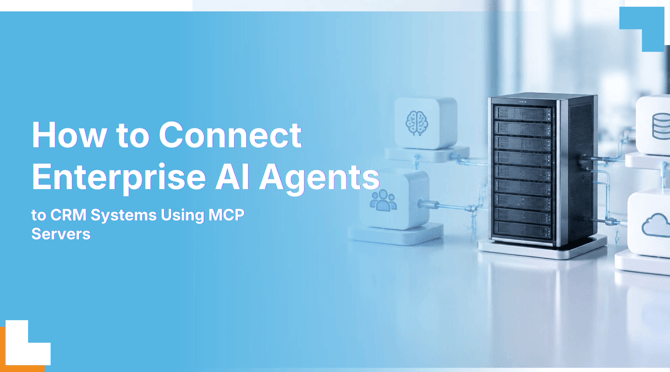
MCP CRM integration places an MCP server between the AI agent and the CRM. Every request passes through a controlled tool layer that validates inputs, applies permissions, and logs the result. A production design has six layers.
| Layer | Role | Typical examples |
| AI agent (MCP client) | Interprets the request and selects a tool | Claude, ChatGPT, custom agents |
| MCP server | Validates inputs and applies field whitelists and row limits | Tools such as search_accounts |
| Identity and policy | Issues user-bound OAuth tokens and checks role rules | Microsoft Entra ID, Okta |
| Integration layer | Maps tool calls to CRM APIs and handles retries and rate limits | Salesforce REST, HubSpot API, Dynamics Web API |
| CRM and data layer | Stores records and the shared definitions agents rely on | Salesforce, HubSpot, Dynamics 365, Zoho |
| Observability | Logs agent, user, tool, inputs, and results for every call | SIEM, OpenTelemetry |
Keep business logic in the integration layer and the CRM. MCP replaces neither. A schema describes a tool, and only server-side validation protects the data. Local servers suit developer tools. Remote servers suit enterprise CRM access because they sit behind your identity provider and gateway.
Enterprise AI Agent Integration: One Request, Step by Step
Take a sales manager who asks an agent for open deals above $50,000 this quarter.
- The agent selects get_open_opportunities and sends a region and amount filter.
- The server validates the inputs against the tool schema.
- The server swaps in the requesting user's OAuth token.
- The CRM returns only the rows and fields that the user may see.
- The server logs the call and returns a compact result for the agent to summarize.
Definitions decide accuracy. Gartner links inaccurate agent answers to missing semantics. Define "open deal" once, in one place, before you write the tool. Agents that share the definition give the same answer as your dashboard.
Enterprise AI agent integration depends on the agent as much as the server. AI agent development should define how agents select tools, handle errors, and escalate to a person.
MCP Server Development for CRM: Five Build Steps
MCP server development for CRM wraps specific queries and actions as typed, permissioned tools. Each tool answers one business question. Follow these steps in order.
- Inventory the questions users ask. List the ten most common CRM lookups and actions. Each becomes a candidate tool.
- Define one narrow tool per question. Set typed inputs, a field whitelist, and a hard row limit. Default the limit to 10 records.
- Choose transport and identity. Run remote servers over HTTP-based transport. Use OAuth with user-bound tokens so the CRM enforces each person's own rights.
- Launch read-only. Add write tools later and place each behind human approval with a rollback path.
- Test in staging with hostile prompts. Plant instructions inside CRM notes and email fields, because agents read that text as data.
A starter tool catalog shows how the controls map to tools.
| Tool | Access | Control |
| search_accounts | Read | Field whitelist and 10-row limit |
| get_pipeline_summary | Read | Role-based rows and cached metrics |
| log_activity | Write | User-bound token and audit entry |
| update_deal_stage | Write | Human approval before commit |
| export_contacts | Blocked | Never exposed to agents |
Route heavy analytics to a warehouse with a shared semantic layer. Use an asynchronous queue for bulk jobs. This protects CRM performance and keeps agents inside token limits.
Related Read: AI Implementation Challenges Enterprises Face and How to Overcome Them
Security and Compliance for MCP Servers
MCP governance is the set of identity, permission, logging, and approval controls that keep agent access to CRM data inside policy. The protocol does not supply them. You build them into the server and the gateway.
The gap is wide. Deloitte reports that close to three-quarters of companies plan to deploy agentic AI within two years, yet only 21% have a mature governance model. IBM puts the average data breach at $4.99 million and recommends tightly scoped permissions for AI agents. Effective MCP server integration applies six controls.
- Least privilege: scope every tool to one use case.
- User-bound access: act with the requesting user's rights instead of a shared service account.
- Human approval: require sign-off for create, update, and delete actions.
- Prompt injection defense: treat retrieved CRM text as data and never as instruction.
- Full audit trail: log agent, user, tool, inputs, and result.
- Vetted servers only: review third-party MCP servers like any software dependency.
| Regulation or standard | What it requires | MCP control |
| GDPR Articles 25 and 32 | Data minimization and secure processing | Field whitelists, row limits, encryption in transit |
| EU AI Act | Logging and human oversight for high-risk uses | Audit logs and approval gates |
| SOC 2 and ISO 27001 | Evidence of access control and monitoring | OAuth scopes and SIEM-fed logs |
| CCPA and CPRA | Access, deletion, and purpose limits | Live CRM reads instead of copies |
| HIPAA or PCI DSS | Safeguards for health or card data | Regulated fields excluded from tool schemas |
Plan for scale early. Keep a central registry of approved servers and route traffic through a gateway. A gateway governs only the traffic that passes through it, so block direct agent connections. AI governance consulting can map each server to your obligations before launch.
MCP Server Integration Cost and Partner Selection
What Drives MCP Server Integration Cost
MCP server integration cost depends on tool count, write actions, identity setup, and compliance review. The protocol itself adds little.
Signity's delivery timelines show how scope moves the schedule.
| Scope | Typical timeline | Main effort |
| Read-only pilot with a few tools on one CRM | 2 to 4 weeks | Tool design, OAuth setup, testing |
| Multi-system build with approved writes | 8 to 12 weeks | Approval flows, data mapping, audit pipeline |
| Enterprise gateway and registry | Scoped after discovery | Gateway, observability, multi-team governance |
A scoped pilot drives ROI because it reveals which tools agents use most before you fund a wider build. Track tool usage, answer accuracy against dashboards, and time saved per lookup. We advise against starting with write access.
How to Choose an MCP Development Partner
Buy a vendor server when it covers your CRM objects and permission model. Build custom when you have custom objects, legacy systems, or strict audit rules. Bring in a partner when identity, security, and agent engineering sit in different teams. Check five things:
- Production MCP servers delivered under similar compliance rules
- Security design that starts before feature design
- A model-agnostic build that survives a change of AI client
- Handover with documentation, runbooks, and test suites
- Defined post-launch support terms.
Related Read: Choosing The Best Enterprise AI Agent Deployment Consultants in 2026
Why Enterprises Choose Signity for MCP CRM Integration
Signity builds MCP servers and delivers enterprise AI agent integration for teams that need production-grade control. Our engineers have delivered 80+ enterprise MCP integrations across fintech, healthcare, retail, and logistics. Each build connects CRM, ERP, and internal data sources. Every engagement follows six stages from discovery to deployment.
- Architecture: tool catalogs, identity flows, and gateway patterns matched to your CRM.
- Security: OAuth 2.0, JWT, rate limiting, input validation, and audit logging.
- CRM depth: tool design for HubSpot and Zoho estates through our HubSpot services.
- Support: 30 days of post-deployment support on every build.
Conclusion
MCP servers turn CRM data into a governed capability for every AI agent in your enterprise. Expose narrow tools and bind access to the user. Log every call and keep writes behind approval. Teams that settle definitions and permissions first ship faster and clear security review sooner.
Start with one CRM, three to five read-only tools, and a named owner for each. Check agent answers against your dashboards. Then widen the scope. A clear architecture decision today reduces rework when agent volume grows.
Frequently Asked Questions
Have a question in mind? We are here to answer. If you don’t see your question here, drop us a line at our contact page.
What are MCP servers in a CRM integration?

How does MCP CRM integration differ from using the CRM API directly?
Is it safe to give AI agents write access to a CRM?
How long does MCP server development take for a CRM?